Introduction
Before selecting CAM software, the most crucial step is to clearly define your machining requirements. Different machining processes, equipment types, and application scenarios demand varying functionalities from CAM software. Therefore, this article will examine the characteristics of several common CAM software from a practical machining perspective, helping you make a more efficient choice.
During evaluation, key considerations include: the completeness of CAM functionality, support for common file formats, compatibility with specific CNC machines, and stability and smooth operation when running multiple software applications simultaneously.
Next, this article will focus on five commonly used free CAM software options, supplemented by several other free tools that perform equally well in practical machining scenarios, for your reference and selection.
1. Fusion 360
While this software has a steep learning curve, it’s an excellent choice for those seeking robust CAM capabilities. Fusion 360 integrates 3D design, CAM machining planning, and machining simulation within a single platform, supporting the entire workflow from concept development to actual production.
Developer: Autodesk, Inc.
Operating Systems: Windows, macOS
Target Audience and Application:
Suitable for users with prior machining experience who require complex part processing or multi-axis machining. Widely used in industrial-grade CNC machining, prototype development, and small-batch production scenarios.
Key Software Features:
- Integrates CAD and CAM functionality, eliminating frequent software switching for seamless design-to-manufacturing workflows.
- The free version primarily supports 3-axis CNC machining, covering common milling, drilling, and contouring needs; 3+2-axis and 5-axis capabilities are restricted in the free edition.
- Compatible with multiple mainstream CNC machines, ensuring robust code output compatibility and low setup complexity.
- Supports multiple tooling options and machining parameter settings, with customizable spindle speed and feed rate;
- Offers automated toolpath optimization strategies to reduce tool wear and enhance machining efficiency;
Supports basic machining simulation for verifying tool paths and processes (some advanced simulation features require payment).
Free Access Scope and Duration:
Fusion 360 offers free access to educational users (including teachers and students) and select startups. For personal, non-commercial use, most core features remain available indefinitely. Commercial use is limited to a 30-day free trial.
Compared to the commercial version, the free edition of Fusion 360 primarily has limitations on certain advanced features, including advanced simulation and generative design, some multi-axis machining options, and certain tool library functions. Additionally, in document management, free users can simultaneously edit a maximum of 10 active documents, and file import/export formats are subject to certain restrictions.
2. EstlCAM
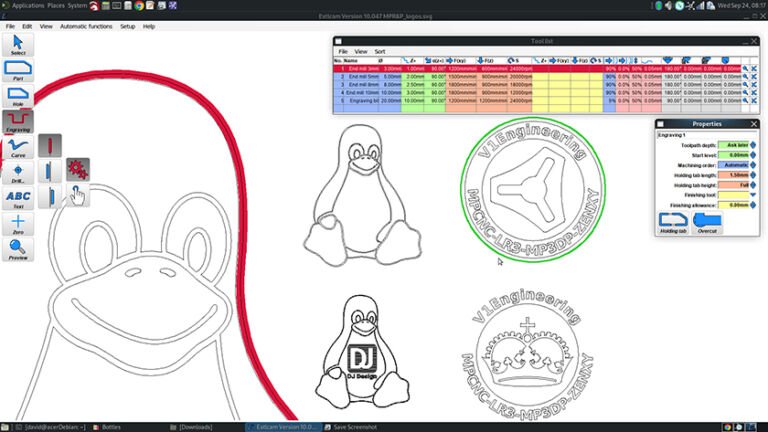
EstlCAM is a lightweight CAM software designed around the core principles of simplicity, intuitiveness, and quick learning. It is tailored for hobbyists, educators, and small workshops.
Developer: Christian Knüll, Inc.
Operating System: Windows
Target Audience & Use Cases: Ideal for CNC beginners and lightweight machining scenarios, primarily used for 2D/2.5D machining and basic 3D tasks. Commonly employed in desktop CNC, educational settings, and simple part fabrication.
Key Software Features:
- Integrates CAM and CNC control functions within a single software solution
- Intuitive interface with low learning curve, ideal for CNC beginners and lightweight machining needs.
- Supports multiple file formats (DXF, SVG, STL, PNG, JPG, GIF)
- Provides common 2D and basic 3D machining functions, including contour milling, cavity machining, drilling, engraving, and V-groove carving
- Supports fundamental machining operations like slot cutting, chamfering, and thread milling, with flexible adjustment of cutting depth, feed rate, and other tool path parameters.
Free Access Scope and Duration:
A fully functional free version is initially provided, but repeated use will trigger delayed registration prompts. The paid version is priced at approximately €49 (about $59 USD), offering good value for money. After payment, users gain access to a more comprehensive tool library and receive additional advanced post-processing options and feature updates.
3. FreeCAD
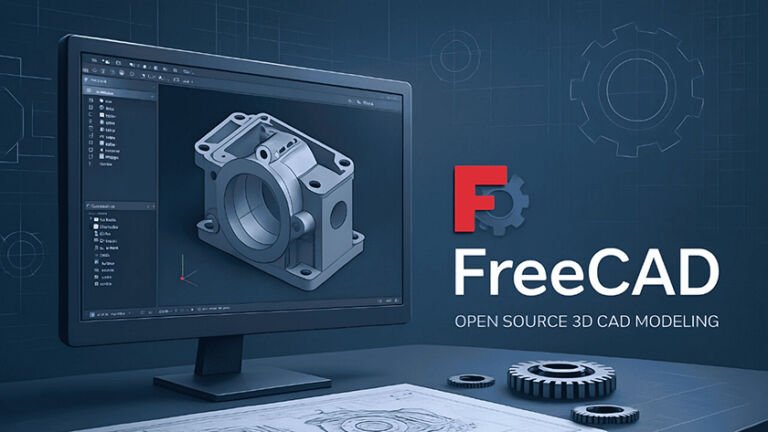
If you want a locally installed, powerful, and forever free CAD software—we recommend FreeCAD. As open-source parametric modeling software, FreeCAD enables users to build editable technical models based on parameters and constraints, making it suitable for serious engineering design work. FreeCAD performs reliably in common CAD applications, including product design, mechanical engineering, and architecture. It supports seamless integration with CAM workflows, making it suitable for users with some technical background who wish to engage in long-term learning and practice.
Developer: FreeCAD Community (Lead Developer: Werner Mayer)
Operating Systems: Windows, Linux, macOS
Target Audience: Suitable for users with some technical background seeking systematic learning of CAD/CAM workflows, for engineering design, low-to-medium complexity CNC machining, and long-term technical practice.
Key Features:
- Comprehensive 2.5D CAM machining capabilities including contouring, drilling, engraving, and other fundamental operations
- Support for 3-axis and 2.5-axis milling (relatively limited compared to commercial CAM software)
- Multiple tool types with library selection or custom tool creation – Machining simulation for toolpath validation
- Advanced machining functions: contouring, helical machining, slot machining, and V-groove engraving.
- Supports basic 3D machining functions like cavity machining and waterline machining.
- G-code operations allow adding annotations, stop commands, or custom G-code rows/columns.
- Enables customization of machining tools and processes via scripts or parameters.
- Free 2D drawing capability (typically a paid feature in other software). Supports importing and using OpenSCAD models.
Free Access Scope and Duration:No strings attached—permanent use.
4. PyCAM

PyCAM is a free, open-source CAM tool primarily designed for generating tool paths in 3-axis CNC machining. This software meets G-code generation needs for lightweight machining scenarios, catering to users of varying experience levels—including educators, students, and CAM learners—who operate on limited budgets and seek to understand CAM fundamentals. PyCAM emphasizes controllability and transparency in tool path generation, helping users intuitively grasp the core logic of CNC machining path planning and parameter settings. It is particularly suitable for users with some technical background or programming foundation.
Developer: Sebastian Kuzminsky, Inc.
Operating System: Linux
Target Audience: Suitable for users with programming or technical backgrounds seeking deep understanding of CNC tool path principles, commonly used in teaching, research, and lightweight 3-axis machining scenarios.
Features:
- Supports tool path generation for 3-axis CNC machining
- Supports multiple common machining types, including: 2D contours, pockets, drilling, and 3D surface milling
- Allows setting tool path precision and calculation processing speed
- Provides basic tool motion simulation for path verification
- This software is suitable for users familiar with programming.
- Generates and exports standard G-code files Free: Open to all users with no functional limitations
Free Access Scope and Duration: Open to everyone without any functional limitations.
5. Kiri:Moto
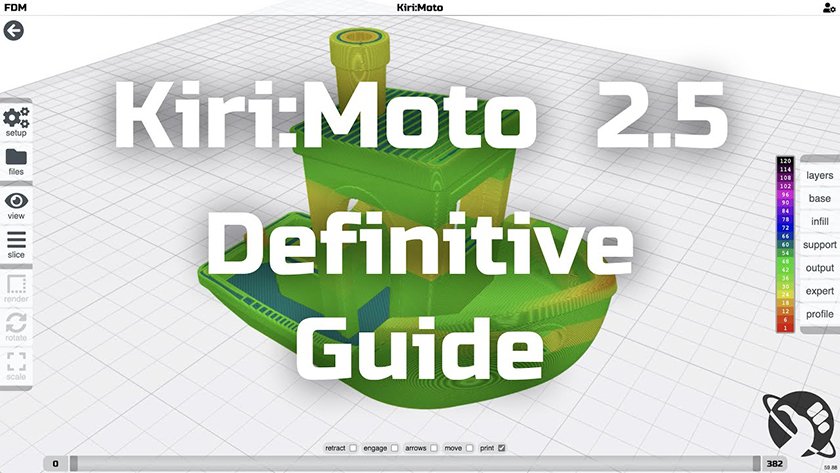
Kiri:Moto is a browser-based CAM software primarily used for manufacturing scenarios such as CNC machining, laser cutting, and 3D printing. As a tool requiring no local installation, Kiri:Moto enables tool path planning and G-code generation directly within the browser, making it suitable for lightweight machining and rapid verification of machining concepts.
The software is renowned for its intuitive operation and low learning curve, making it ideal for beginners, educational settings, and users requiring rapid tool path generation.
Developer: Grid.Space (Stuart Rankin)
Operating Systems: Windows / Linux / macOS (Browser-based)
Target Use Cases & Audience: Kiri:Moto is best suited for lightweight CNC machining, educational settings, and rapid prototyping. Compared to industrial-grade CAM software, its machining strategies and parameter control depth are limited, making it unsuitable for complex multi-axis or high-precision batch production tasks. However, it offers significant advantages in convenience and cross-platform usability.
Key Features:
- Supports 2D/2.5D CNC machining, including contouring, pocket milling, and drilling
- Supports basic 3D surface machining (based on STL models)
- Provides visual toolpath previews and machining simulations
- Supports importing common file formats like STL and SVG
- Supports multiple CNC machine configurations and post-processors
- Generates and exports standard G-code files
- Supports unified workflows across multiple manufacturing scenarios (CNC / Laser / 3D Printing)
Free Access Scope and Duration:Basic CAM functionality is free to use; certain advanced features require a subscription to unlock.
| Contrast Dimension | Fusion 360 | EstlCAM | Free CAD | PyCAM | Kiri:Moto |
|---|---|---|---|---|---|
Main Types |
Cloud/Desktop CAD/CAM/CAE Integration |
Desktop Camera Application |
Open Source Parametric CAD/CAM |
Open Source CAM |
Online/Offline CAM (Slicing) |
Modeling Capability |
Powerful direct/parametric modeling, surfaces, and meshing |
Basic 2D drawing, primarily for CAM |
Powerful Parametric CAD Modeling |
No native modeling, only CAM |
No native modeling, only import processing |
CAM Function |
Professional-grade 2.5D to 5-axis CAM system with turning and additive manufacturing modules |
Powerful 2.5D CAM with drilling, contouring, pocketing, and more |
2.5D Path Module Stabilized, 3D CAM in Development |
2.5D to 3D paths with advanced scripting support |
Generate 2.5D to 3D paths |
Applicable Scene |
Professional product design and engineering-Multi-axis machining of complex components-Team collaboration and data management |
2.5D milling, carving, and cutting-woodworking, signage, and simple parts |
Open source workflow from design to manufacturing
-Mechanical Engineering, Complex Part Design |
Linux user developer
Custom CAM requirements |
Quickly convert 3D models into CNC or 3D printing paths-Ideal for hobbyists and beginners in education |
Open Source/Paid |
Free Personal License (Function Limitation) Paid Business License |
Paid software (with trial version) |
Completely free |
Completely free |
Basic features are free, while advanced features require payment. |
Learning Difficulty |
★★★★☆ High (Comprehensive functions, complex system) |
★★☆☆☆ Low (Guided) |
★★★★☆ Intermediate (Multiple modules, requires systematic study) |
★★★☆☆ Intermediate (requires some technical background) |
★★☆☆☆ Lower |
Sum up |
Professional industry standard tools with comprehensive and powerful features, ideal for enterprises, professionals, and complex projects requiring cloud collaboration. |
Efficient 2.5D CAM system, ideal for woodworking and signage production. User-friendly and cost-effective. |
The open-source all-in-one design platform is ideal for users seeking to utilize open-source tools throughout the entire design-to-manufacturing workflow, though it has a steep learning curve. |
Open-source technology serves as a tool for Linux users and developers, offering high freedom but requiring a certain technical foundation. |
A lightweight online tool designed to swiftly convert existing 3D models into machining paths, ideal for 3D printing and CNC beginners. |
How to choose? Quick recommendations for you:
If you’re a beginner just wanting to turn 3D models into physical objects (CNC/3D printing): Try Kiri:Moto—it’s the simplest and most straightforward option.
If you’re a woodworker or craftsman primarily doing cutting and carving: EstlCAM is the most focused and efficient choice.
If you want a completely free yet powerful tool and don’t mind learning: FreeCAD offers a full-featured, free solution from drafting to generating machining code.
If you’re a developer or heavy Linux user who enjoys tinkering: PyCAM is worth exploring.
If you’re a professional designer, engineer, or enterprise user needing the most powerful integrated tool: Fusion 360 is one of the industry standards, and its free personal version is sufficient for individual projects.
6. Other Recommended Software
Beyond the tools mentioned above, this article also recommends several other free CAM software options. You can experiment with each based on your specific machining needs and usage scenarios, considering their respective features and functionalities, to select the manufacturing tools and workflow that best suit your requirements.
CamBam https://www.cambam.info/
(Supports 2.5-axis milling, with visual toolpath preview for easy simulation and result verification)
MakerCam https://www.makercam.com
(Free CAM software specifically designed for 2.5-axis milling; supports SVG file import; allows setting tool operation sequences like milling, drilling, and analysis; user-friendly interface)
Easel https://easel.com
(Low difficulty level, compatible only with 2D/2.5D STL files)
Carbide Create https://carbide3d.com/carbidecreate/
(2D CAM software; available for download on Mac and PC; supports offline use; imports SVG and DXF files)
F-Engrave http://www.scorchworks.com/Fengrave/fengrave.html
G- (Supports DXF file import but not SVG; includes note-taking functionality)
Openbuilds CAM Gcode Creator https://cam.openbuilds.com
(Web-based version available; imports 2D or 3D designs; simulates potential issues to reduce material waste)
Summary
Different free CAM software solutions each emphasize distinct strengths in functional depth, accessibility, and application scenarios. For CNC beginners and lightweight machining needs, software with intuitive interfaces and quick learning curves offers greater advantages. Conversely, experienced users requiring higher machining flexibility and stability may opt for more comprehensive, expandable tools.
It is recommended to evaluate your specific machining complexity, equipment capabilities, and learning curve when testing and selecting software, thereby establishing the CNC machining workflow that best suits your needs.